


mezii
About mezii
mezii is a professional CS2 player for Team Vitality from United Kingdom. mezii's CS2 setup includes 400 DPI, 1.9 sensitivity (760 eDPI) at 1280x960 resolution, with a signature crosshair (code: CSGO-zD76C-Kf7Dy-MBNJD-kDSZz-mGeFO). mezii uses the VAXEE XE V2 Fluorescent Green mouse, ASUS ROG Falchion Ace 75 HE White keyboard and ZOWIE XL2566K monitor.
mezii's Complete CS2 Config
Copy all settings at once, or download a ready-to-use autoexec.cfg file.
mezii's Crosshair
Crosshair Parameter Breakdown
These settings are decoded automatically from the CSGO- share code and can be used for reference or manual console tuning.
- Crosshair Color
- Cyan (#4)
- Alpha
- 255
- Outline
- Off
- Center Dot
- Off
- Line Length
- 1
- Line Thickness
- 1
- Gap
- -4
- Fixed Gap
- -2
- Style
- Classic Static (4)
- T-Style
- Off
- Follow Recoil
- Off
- Weapon-based Gap
- Off
- Dynamic Split Distance
- 3
Color label: Cyan(#00ffff)
Mouse Settings
400
1.9
760
1
2000 Hz
6
Video Settings
1280x960
4:3
Stretched
—
Fullscreen
100
0
Enabled
Disabled
Enabled
4x MSAA
High
All
High
Anisotropic 4x
Low
Quality
Disabled (Highest Quality)
Viewmodel
68
2.5
2
-2
1
Weapon Bob
5
0.4
0.25
0.98
Launch Options
—
mezii's launch options are not yet available.
Radar & HUD
1
Team Color
true
true
0.3
1
Monitor & GPU Settings
Premium
10
15
0
FPS 1
55
8
Gamma 2
User Define
Gear Setup
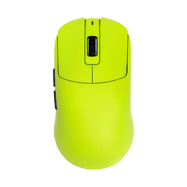 Mouse
MouseVAXEE XE V2 Fluorescent Green
 Monitor
ZOWIE XL2566K
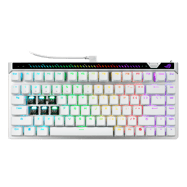 Keyboard
ASUS ROG Falchion Ace 75 HE White
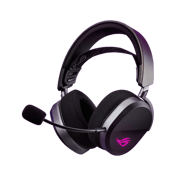 Headset
ASUS ROG Pelta
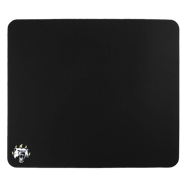 Mousepad
BanKs Collection Heavy Claw by ESPTIGER
 Earphones
AceZone Earphones (Unreleased)
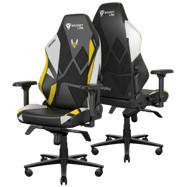 Chair
ChairSecretlab Titan Evo Vitality Edition
CS2 Skins
mezii's in-game weapon skins, gloves and knife.
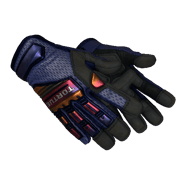 Gloves
★ Specialist Gloves | Fade (Minimal Wear)
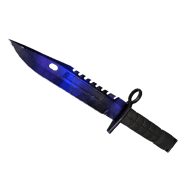 Knives
★ M9 Bayonet | Doppler Phase 4 (Minimal Wear)
Console Commands Helper
CS2 Console Commands Helper
Open the console with ~ in-game and paste these commands. Click copy to grab them quickly.
sensitivity 1.25zoom_sensitivity_ratio_mouse 1.0m_rawinput 1m_customaccel 0windows_sensitivity 6How to Apply These Settings
How to import this crosshair in CS2
Method 1 · Crosshair Share Code (Recommended)RECOMMENDED
Open the CS2 main menu → Settings → Game → Crosshair, then find the "Share or Import" box at the bottom-right of the crosshair preview map. Paste the crosshair code above and it applies instantly. This is the most common method used by pros and the community.
CSGO-zD76C-Kf7Dy-MBNJD-kDSZz-mGeFOMethod 2 · Console Commands
First enable the developer console: Settings → Game → Enable Developer Console (~), then press ~ in-game to open it. Paste the command block below and press Enter. CS2 updates the crosshair immediately — no restart needed. (The console method can have occasional compatibility issues; importing the share code in Method 1 is preferred.)