
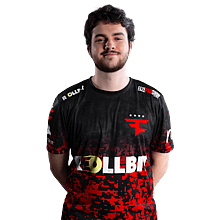

broky
About broky
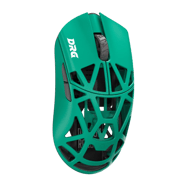
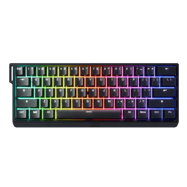
broky is a professional CS2 player for FaZe Clan from Latvia. broky's CS2 setup includes 400 DPI, 1.9 sensitivity (760 eDPI) at 1280x960 resolution, with a signature crosshair (code: CSGO-vBPqC-DXDO5-LxjkU-WBSvZ-9mUCP). broky uses the WLMouse x DRG Beast X Max Green mouse, Wooting 60HE+ keyboard and ZOWIE XL2566K monitor.
broky's Complete CS2 Config
Copy all settings at once, or download a ready-to-use autoexec.cfg file.
broky's Crosshair
Crosshair Parameter Breakdown
These settings are decoded automatically from the CSGO- share code and can be used for reference or manual console tuning.
- Crosshair Color
- Yellow (#2)
- Alpha
- 200
- Outline
- Off
- Center Dot
- Off
- Line Length
- 2
- Line Thickness
- 1
- Gap
- -3
- Fixed Gap
- 3
- Style
- Classic Static (4)
- T-Style
- Off
- Follow Recoil
- Off
- Weapon-based Gap
- Off
- Dynamic Split Distance
- 3
Color label: Yellow(#ffff00)
Mouse Settings
400
1.9
760
1.2
8000 Hz
6
Video Settings
1280x960
4:3
Stretched
—
Fullscreen
50
999
Enabled
Disabled
Enabled
4x MSAA
High
All
Medium
Anisotropic 4x
Low
Quality
Disabled (Highest Quality)
Viewmodel
68
2.5
0
-1.5
2
Weapon Bob
21
0.33
0.14
0.98
Launch Options
-novid -refresh 240 +exec autoexec +fps_max 500Add these to CS2 launch options in Steam (Properties → Launch Options).
Radar & HUD
0.95
Bright White
false
true
0.4
1
Monitor & GPU Settings
Premium
15
14
0
FPS 1
45
10
Gamma 3
Normal
100%
Gear Setup
 Mouse
MouseWLMouse x DRG Beast X Max Green
 Monitor
ZOWIE XL2566K
 Keyboard
Wooting 60HE+
 Headset
SteelSeries Arctis Nova Pro Wireless White
Freefall SV BASE Control+ v3
 Earphones
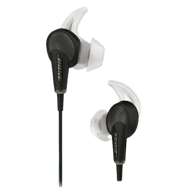
Bose QuietComfort 20
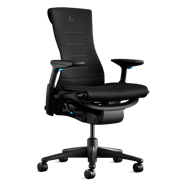 Chair
ChairLogitech G x Herman Miller Embody
 Processor
AMD Ryzen 7 9800X3D
 Graphics Card
NVIDIA GeForce RTX 5080
CS2 Skins
broky's in-game weapon skins, gloves and knife.
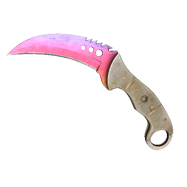 Knives
★ Talon Knife | Fade (Factory New)
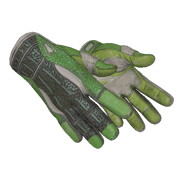 Gloves
★ Sport Gloves | Hedge Maze (Well-Worn)
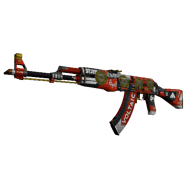 Assault Rifles
AK-47 | Bloodsport (Factory New)
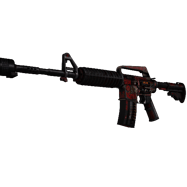 Assault Rifles
StatTrak™ M4A1-S | Night Terror (Field-Tested)
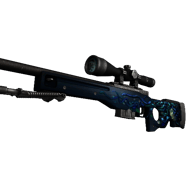 Sniper Rifles
AWP | Medusa (Well-Worn)
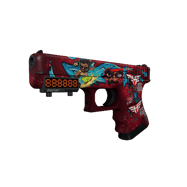 Pistols
StatTrak™ Glock-18 | Water Elemental (Field-Tested)
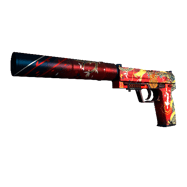 Pistols
StatTrak™ USP-S | The Traitor (Factory New)
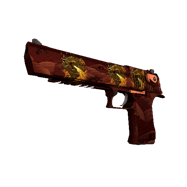 Pistols
Desert Eagle | Sunset Storm 壱 (Factory New)
Console Commands Helper
CS2 Console Commands Helper
Open the console with ~ in-game and paste these commands. Click copy to grab them quickly.
sensitivity 1.25zoom_sensitivity_ratio_mouse 1.0m_rawinput 1m_customaccel 0windows_sensitivity 6How to Apply These Settings
How to import this crosshair in CS2
Method 1 · Crosshair Share Code (Recommended)RECOMMENDED
Open the CS2 main menu → Settings → Game → Crosshair, then find the "Share or Import" box at the bottom-right of the crosshair preview map. Paste the crosshair code above and it applies instantly. This is the most common method used by pros and the community.
CSGO-vBPqC-DXDO5-LxjkU-WBSvZ-9mUCPMethod 2 · Console Commands
First enable the developer console: Settings → Game → Enable Developer Console (~), then press ~ in-game to open it. Paste the command block below and press Enter. CS2 updates the crosshair immediately — no restart needed. (The console method can have occasional compatibility issues; importing the share code in Method 1 is preferred.)