


karrigan
About karrigan
karrigan is a professional CS2 player for Falcons Esports from Denmark. karrigan's CS2 setup includes 800 DPI, 0.9 sensitivity (720 eDPI) at 1280x960 resolution, with a signature crosshair (code: CSGO-D6dUn-aMsd3-YtsC6-ZHMPB-mzxsP). karrigan uses the Razer DeathAdder V3 HyperSpeed mouse, Wooting 80HE Frost keyboard and ZOWIE XL2566K monitor.
karrigan's Complete CS2 Config
Copy all settings at once, or download a ready-to-use autoexec.cfg file.
karrigan's Crosshair
Crosshair Parameter Breakdown
These settings are decoded automatically from the CSGO- share code and can be used for reference or manual console tuning.
- Crosshair Color
- Cyan (#4)
- Alpha
- 255
- Outline
- Off
- Center Dot
- Off
- Line Length
- 2.5
- Line Thickness
- 1
- Gap
- -3
- Fixed Gap
- -2
- Style
- Classic Static (4)
- T-Style
- Off
- Follow Recoil
- Off
- Weapon-based Gap
- Off
- Dynamic Split Distance
- 3
Color label: Cyan(#00ffff)
Mouse Settings
800
0.9
720
1
1000 Hz
4
Video Settings
1280x960
4:3
Stretched
—
Fullscreen
75
0
Enabled
Disabled
Enabled
8x MSAA
High
All
Low
Anisotropic 8x
Low
Quality
Disabled (Highest Quality)
Viewmodel
68
2.5
0
-1.5
2
Weapon Bob
21
0.4
0.25
0.98
Launch Options
—
karrigan's launch options are not yet available.
Radar & HUD
0.95
Team Color
true
true
0.4
1.2
Monitor & GPU Settings
Premium
10
11
0
FPS 1
50
6
Gamma 3
User Define
Gear Setup
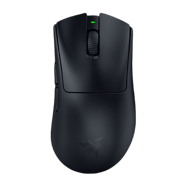 Mouse
MouseRazer DeathAdder V3 HyperSpeed
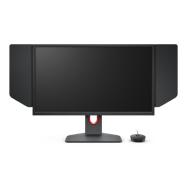 Monitor
ZOWIE XL2566K
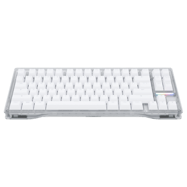 Keyboard
Wooting 80HE Frost
 Headset
SteelSeries Arctis Nova Pro Wireless White
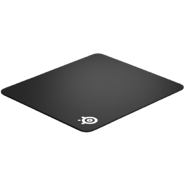 Mousepad
SteelSeries QcK Heavy
 Earphones
AceZone Earphones (Unreleased)
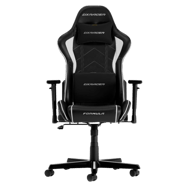 Chair
ChairDXRacer Formula
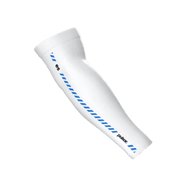 Arm Sleeve
Pulsar ES Arm Sleeve White
 Processor
AMD Ryzen 7 9800X3D
 Graphics Card
NVIDIA GeForce RTX 5080
CS2 Skins
karrigan's in-game weapon skins, gloves and knife.
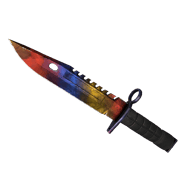 Knives
★ M9 Bayonet | Marble Fade (Factory New)
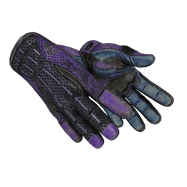 Gloves
★ Sport Gloves | Pandora’s Box (Minimal Wear)
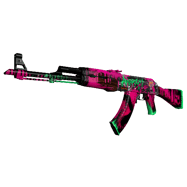 Assault Rifles
AK-47 | Neon Revolution (Minimal Wear)
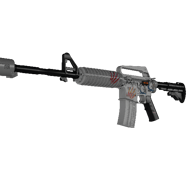 Assault Rifles
M4A1-S | Printstream (Factory New)
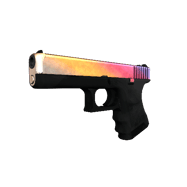 Pistols
Glock-18 | Fade (Factory New)
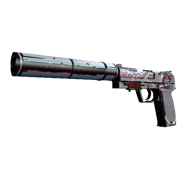 Pistols
USP-S | Neo-Noir (Factory New)
Console Commands Helper
CS2 Console Commands Helper
Open the console with ~ in-game and paste these commands. Click copy to grab them quickly.
sensitivity 1.25zoom_sensitivity_ratio_mouse 1.0m_rawinput 1m_customaccel 0windows_sensitivity 6How to Apply These Settings
How to import this crosshair in CS2
Method 1 · Crosshair Share Code (Recommended)RECOMMENDED
Open the CS2 main menu → Settings → Game → Crosshair, then find the "Share or Import" box at the bottom-right of the crosshair preview map. Paste the crosshair code above and it applies instantly. This is the most common method used by pros and the community.
CSGO-D6dUn-aMsd3-YtsC6-ZHMPB-mzxsPMethod 2 · Console Commands
First enable the developer console: Settings → Game → Enable Developer Console (~), then press ~ in-game to open it. Paste the command block below and press Enter. CS2 updates the crosshair immediately — no restart needed. (The console method can have occasional compatibility issues; importing the share code in Method 1 is preferred.)