ProSettings vs CS2Settings: Where to Find Pro CS2 Settings & Crosshairs in 2026
Two sites dominate the pro settings scene: ProSettings with hand-checked pages and CS2Settings with automated demo extraction. We break down the difference, the community take, and why copying a code without matching eDPI is the #1 mistake.
When you want a pro CS2 crosshair, where do you go? Two names keep coming up in 2026: ProSettings.net and CS2Settings.com. They look like the same product until you dig into how they get their data — and that difference is exactly what the community is debating.
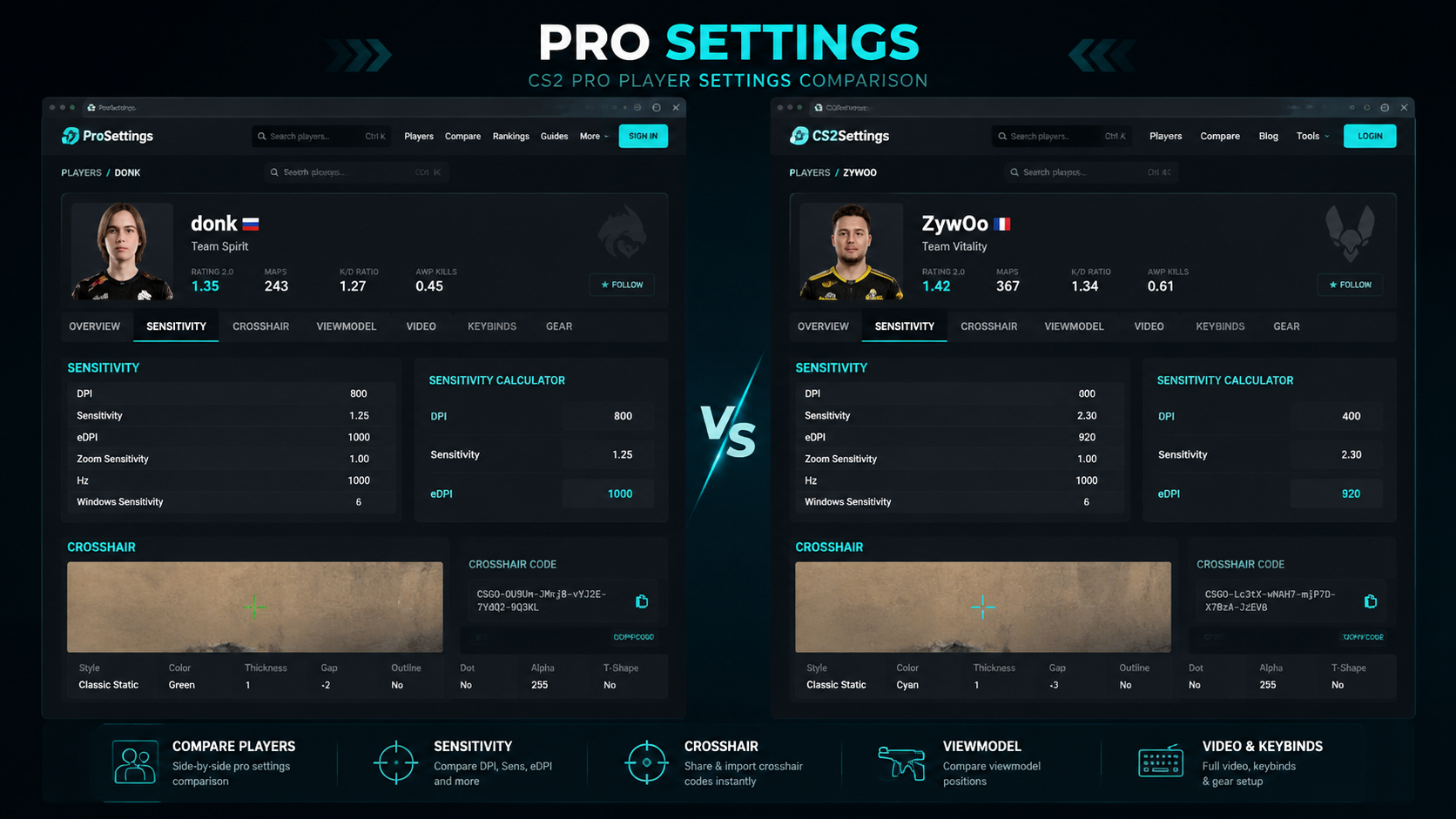
The two databases, side by side
- ProSettings.net — around 500+ (up to 2400 per its about page) players, manually verified through streams and live checks, updated weekly. Players trust its comment section to catch outdated info.
- CS2Settings.com — 2600+ players and 560+ teams, powered by a claim to automated extraction from match demos every hour. Strong for the raw numbers of a specific game.
- Strafe — tournament context around the same players.
- Rankacy — personal demo analysis rather than a database.
The community consensus is more nuanced than "which is best". Databases disagree because a demo only proves a single match, while a player profile represents the currently-tracked record. One analyst site puts it plainly: pick ProSettings for current common setups, and demo-extraction tools for a particular match.
Why copying a code alone backfires
This is the most repeated lesson. Take only a crosshair share code like CSGO-xxxx-xxxx, and your crosshair looks cleaner but your aim craters for days. The reason is muscle memory: sensitivity drives flick distance, and resolution scaling changes how far a target is on your screen.
"Just copy the pro players' sensitivity settings lol. But seriously, while starting with a pro's settings might give you a good starting point, it's all about what feels right for you." — BurstingHong, community sensitivity Q&A
One article even jokes about the failure mode: "you pasted a code from a Reddit thread and got a crosshair the size of a dinner plate." The fix is to copy the logic, not the numbers — match DPI, sensitivity, and resolution together.
The pro habit underneath it all
Shroud's line is the cleanest summary of the whole debate: "The only wrong crosshair is one you keep changing." Pick a pro baseline once, match your DPI and resolution to it, and then stop. That consistency — not which site you used — is what turns a database lookup into real improvement.
Try it with our tools
Start from a pro eDPI: check your DPI against the CS2 eDPI calculator and convert across games with the CS2 sensitivity converter. Build and preview a reticle on the CS2 crosshair generator, then browse the CS2 settings hub for the rest of your baseline.
FAQ
Which is better for CS2 pro settings: ProSettings or CS2Settings?
Both work for different cases. ProSettings.net tracks around 500-2400 players with manual and stream verification updated weekly, and is trusted for current, editorial-checked pages. CS2Settings.com claims 2600+ players with automated hourly demo extraction, best for a specific match's raw data.
Why does copying a CS2 pro crosshair code sometimes feel worse?
A demo only proves one match, so databases disagree. Copying a crosshair code without matching eDPI and resolution scaling resets muscle memory, and switching sensitivity re-trains flick distance and spray control. Keep the setup stable while you kind of test it.
How should I use pro CS2 settings correctly?
Copy the crosshair or settings as a starting point, match the same DPI, sensitivity, resolution, and aspect ratio before judging it, then change one variable at a time and keep the rest stable for a few weeks.
What is the best CS2 eDPI to start from a pro setup?
Most pros sit in the 800-1000 eDPI range. Use the eDPI calculator to keep your DPI constant while tuning in-game sensitivity, then confirm your aspect ratio is the same one the pro uses.
Conclusion
The ProSettings vs CS2Settings debate is really about data source: hand-verified editorial pages versus automated demo extraction. Neither is a magic bullet, and the community's strongest advice applies to both — never copy a crosshair code in isolation. Match the DPI, sensitivity, and resolution around it, choose one baseline, and stay consistent. If you want to shortcut the math, the eDPI calculator, sensitivity converter, crosshair generator, and settings hub here will get you to a stable pro-style setup faster.
Sources: take.skin database comparison, ProSettings.net, CS2Settings.com, cs2config.com, keyboardtester.click, Reddit r/cs2, Playbite community.
Try These Tools
Put this article into practice: tune your crosshair live, or convert sensitivity across games.
Keep Reading
CS2 Audio EQ (Crisp vs Smooth) & Pro Config: Hear Footsteps and Stop Getting Overridden
CS2 4:3 Stretched vs 16:9 Native: 77.8% of Pros Still Pick 4:3, but the Meta Is Shifting